TypeBridge
Cross-device Input Bridge System
Type on your phone, instantly input to your computer
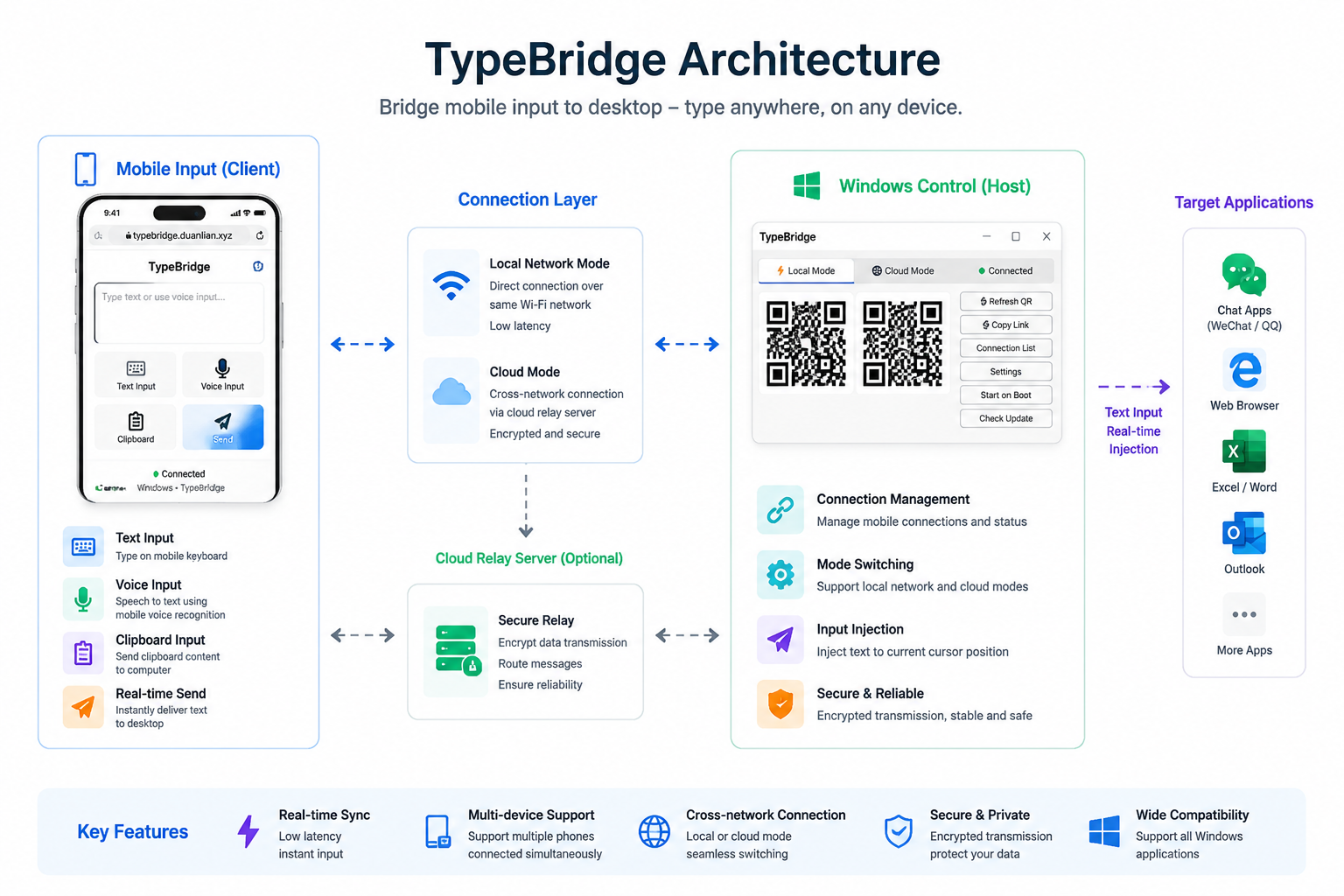
System Architecture
Mobile Input
Keyboard Input
Type text on your phone and sync instantly to your computer cursor.
Voice Input
Use built-in speech recognition to convert voice into text.
Clipboard Input
Send clipboard content directly from mobile to PC.
Continuous Input
Support long text input with one-time full synchronization.
Windows Controller
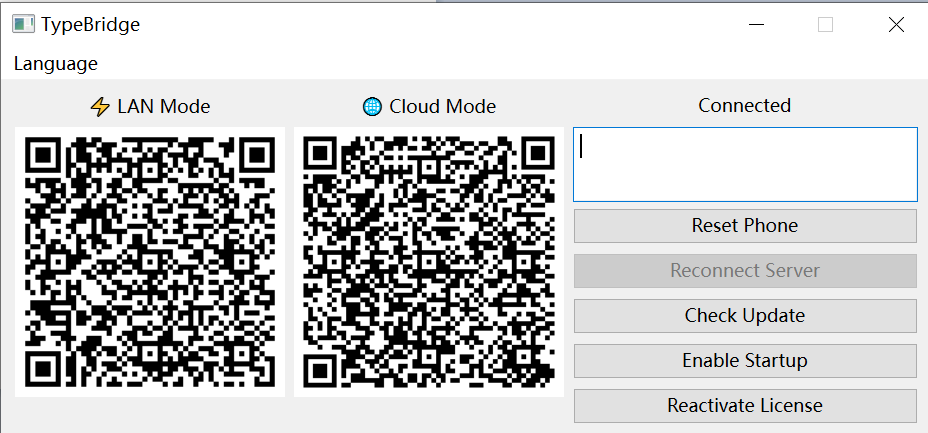
Device Management
Manage all connected mobile devices and input channels.
QR Code Connection
Quickly pair devices by scanning a QR code.
Dual Connection Modes
Supports LAN direct connection and cloud relay mode.
System Input Injection
Inject text into the currently focused application window.
How It Works
1. Open Windows client to generate QR code
2. Scan QR code on mobile device
3. Type or use voice input on mobile
4. Text is synced to PC in real-time
Transmission Modes
Local Network Mode
Direct connection over WiFi for ultra-low latency input.
Cloud Mode
Cross-network input synchronization via cloud relay server.
Summary
TypeBridge is a cross-device input bridge system that extends mobile input capability to desktop,
enabling real-time text synchronization and injection from phone to computer.